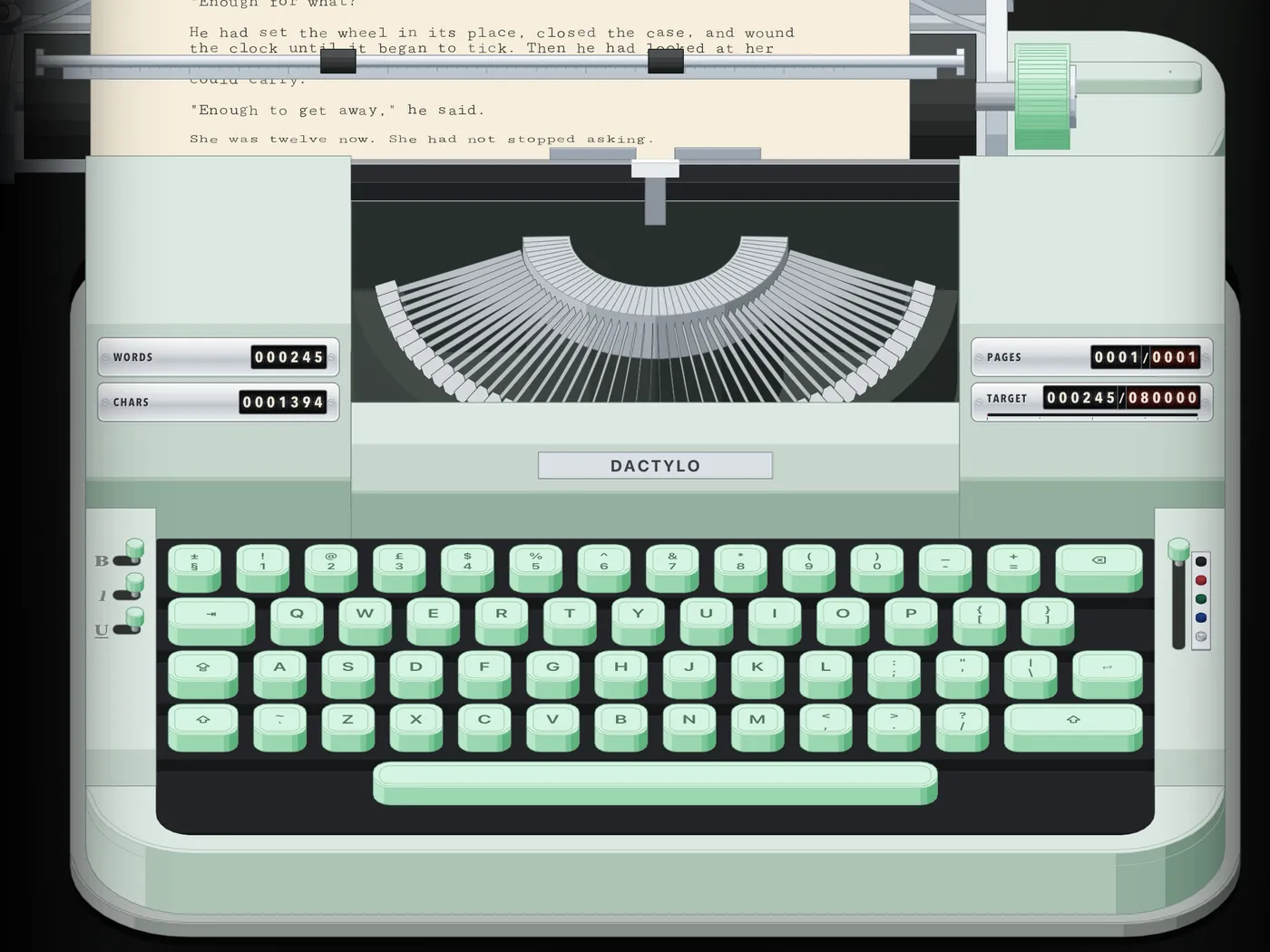
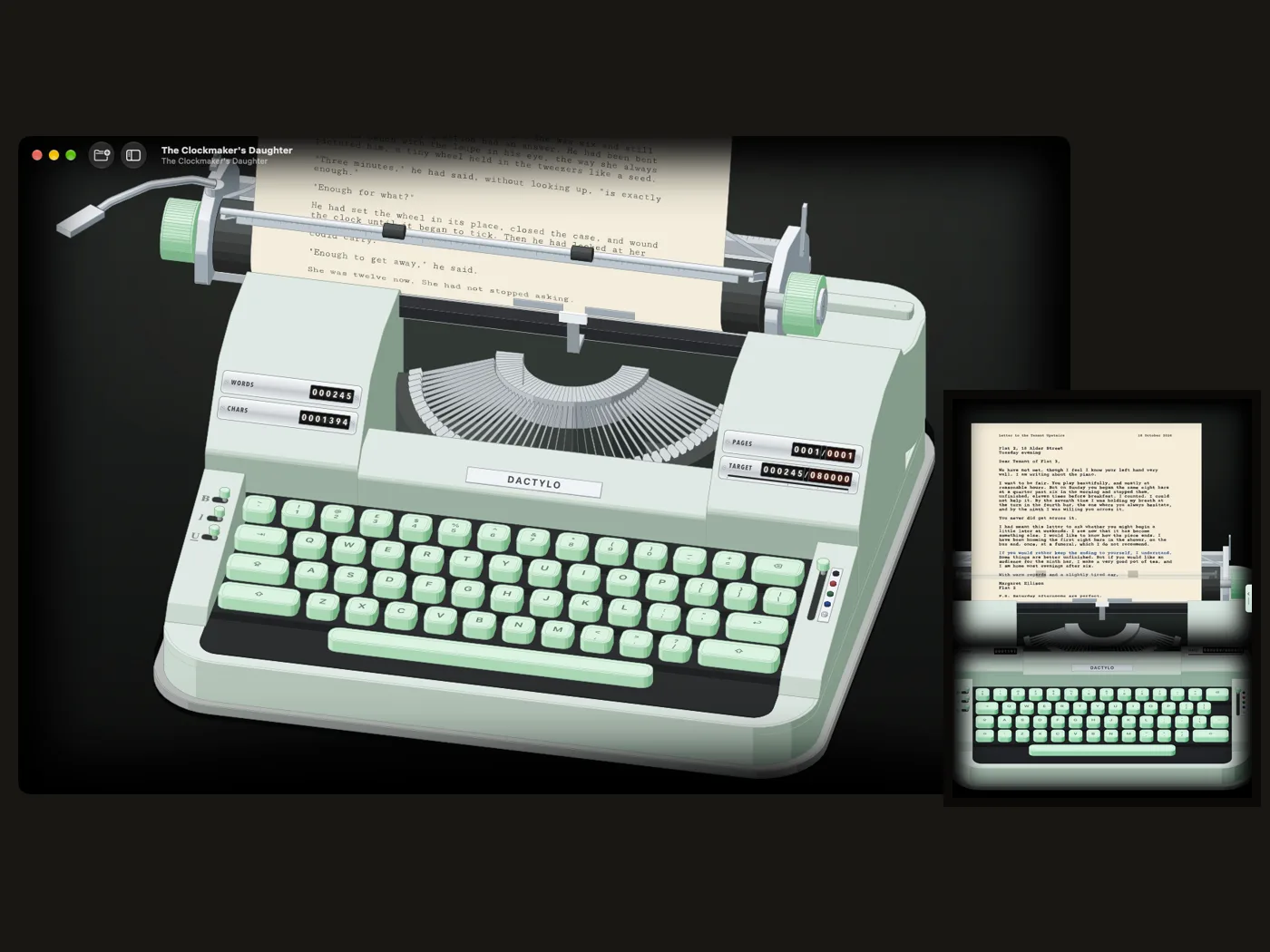
A typewriter for the whole book.

Dactylo turns your Mac and iPad into a real typewriter: keys you can hear, a bell before the margin, a carriage that returns, paper you choose — and a manuscript that’s ready for publishers.

Coming soon to the App StoreSee everything it does

Free to try · $9.99 once for Mac and iPad · no subscription

§ 00Why a typewriter

Nothing on the screen but the page.

A writing app usually wants your attention: menus, panels, notifications, a hundred ways to rearrange a sentence you haven’t finished. Dactylo gives you a machine, a sheet of paper and the sound of your own typing.

Focus

One page at a time.

The machine fills the screen. The tools hide in a column of keys that slides away while you type.

Momentum

Keep moving forward.

Draft mode, a bell at the margin, a session timer and counters that roll as the words pile up.

Craft

The page as you made it.

Real margins, real line spacing, real paper. Then a clean manuscript in the format publishers expect.

§ 01The machine

A typewriter you can turn in your hands.

Not a picture of a typewriter: a whole machine, drawn line by line, that you can turn, tilt and zoom. Every key lifts its own typebar, the basket drops for capitals, the carriage steps along a letter at a time and slides home when you press Return.

  • Four views: Desk, Whole Machine, Page and Manuscript
  • Turn it any way you like and save the angles you love
  • Keys laid out like your own keyboard, in your language
§ 02Sound

The bell rings seven letters before the margin.

Real recordings of a 1960s machine, a little different with every stroke. The space bar thumps, the carriage ratchets back, and the bell tells you the line is nearly full, so your hands learn the page again.

  • Portable, Office, Electric or Quiet
  • Rain, fireplace, wind or record crackle under your typing
  • Sounds in the manuscript too, if you like

§ 03Ink and paper

Red ink for the title. Kraft paper for the mood.

Switch the ribbon to red, blue or green with a lever on the side of the machine, or mix your own ink. Bold, italic and underline sit on sliders on the left ramp, just like the ribbon selector on the right. Choose the paper: light, sepia or dark, cotton, laid, aged, kraft or onionskin, plain or lined.

  • Bold is struck twice, underline is typed over the letter
  • Five typefaces, from crisp Courier Prime to a worn TT2020
  • Ink density, soft or smudged edges, uneven strikes, a ribbon that wears
A typed page with a red title, an italic line and a red underlined line

§ 04Margins and spacing

Drag the margin stops. Pull the line-space lever.

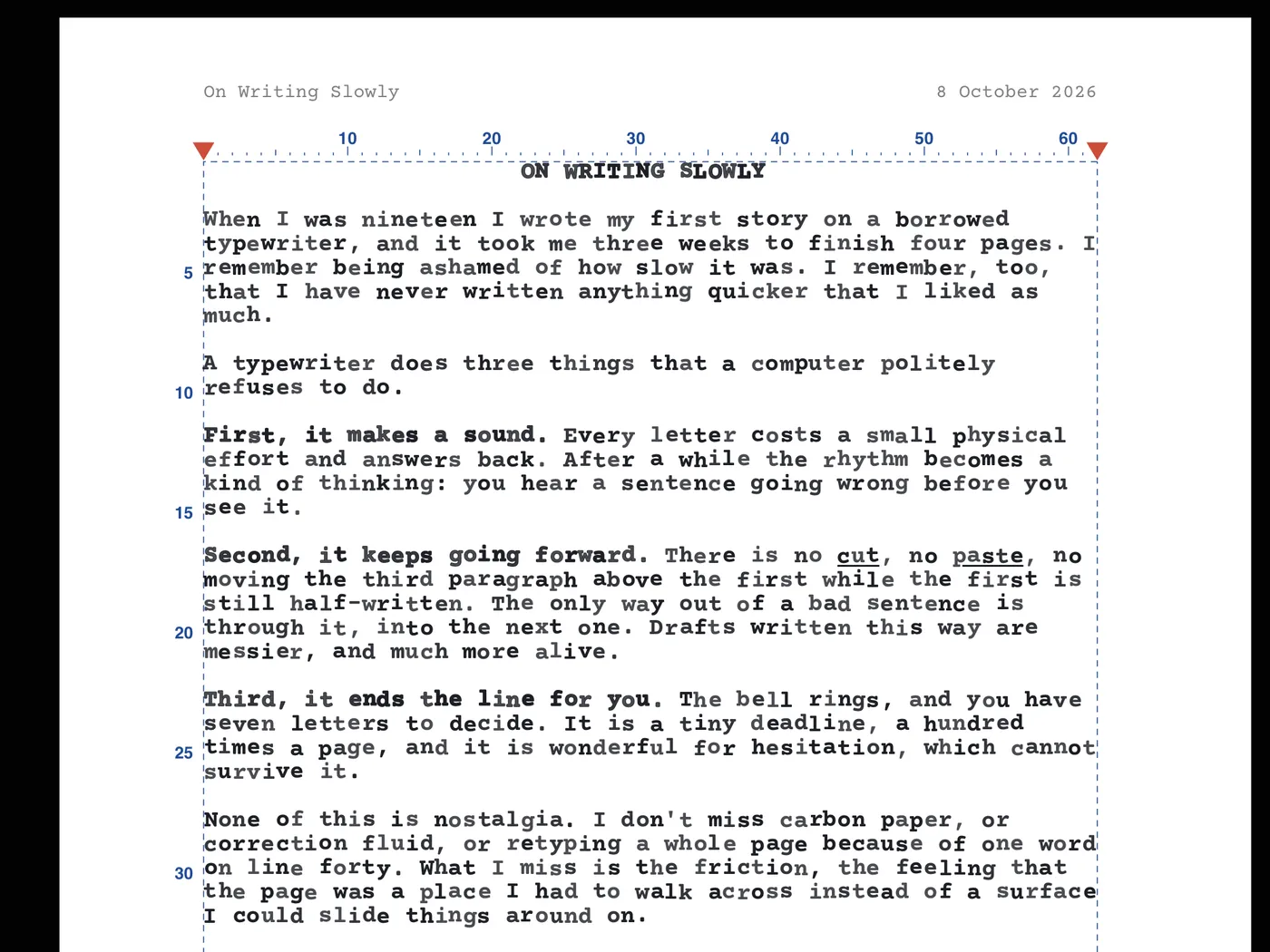
Red arrows on the ruler and red stops on the carriage rack set your margins a column at a time, on the machine and in the manuscript. Single, one-and-a-half or double spacing. A4, US Letter, US Legal or A5.

  • A ruler, line numbers and margins drawn on the paper in pencil
  • Choose their colour for every page
  • The paper can stand upright, lean back or curl like real paper
The red margin arrows on the ruler, with line numbers down the side of the page

§ 05Pages and folders

Every sheet is a page. Every book is a folder.

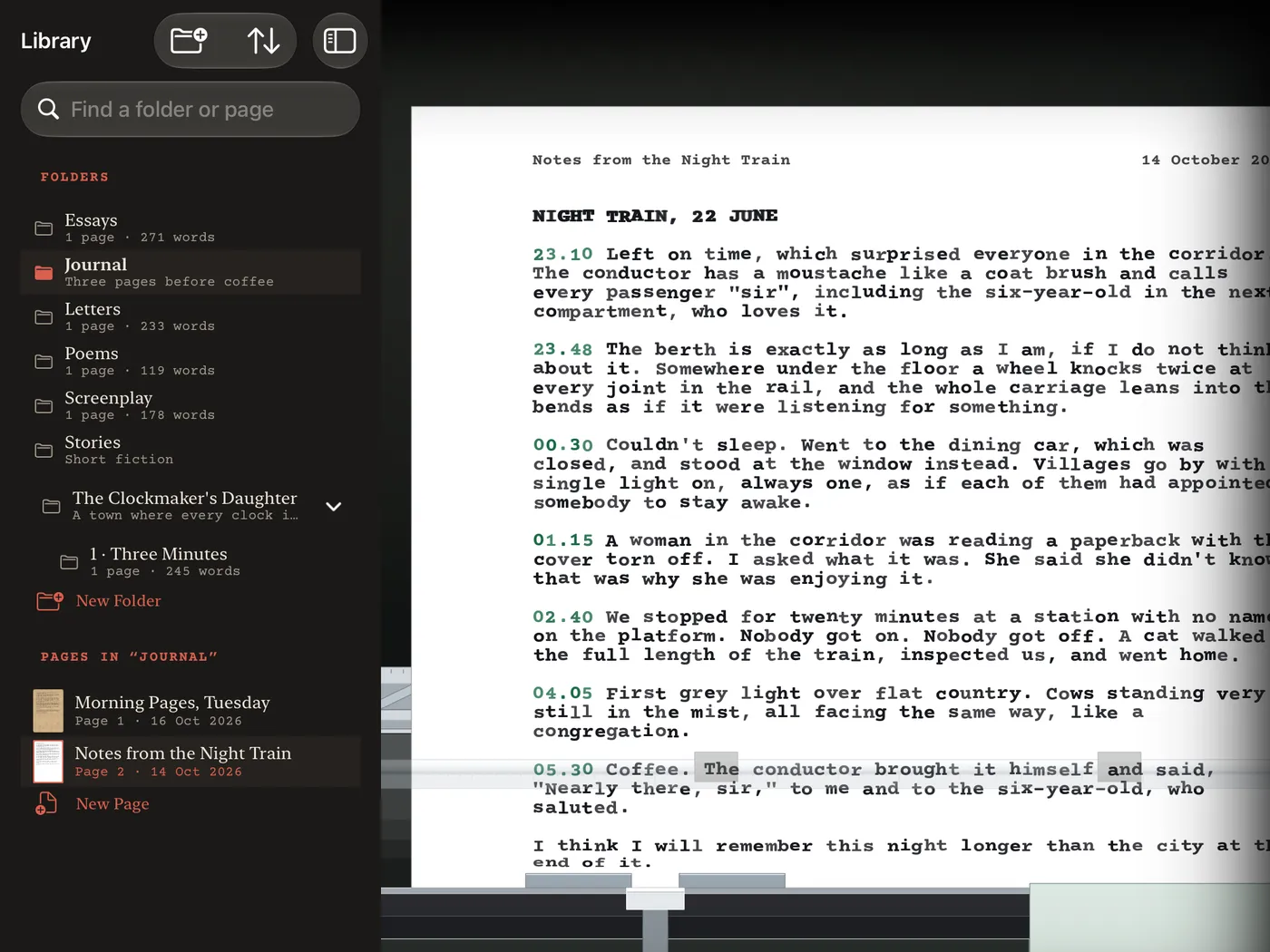
Folders inside folders, like a writer's binder: a novel and its chapters, letters, a diary, poems. Every page keeps its own paper and typeface. Drag pages into order, rename them, move them, take one out and put it back.

  • A title and the date at the top of each page, if you like
  • All Pages: every sheet of the folder laid out on the desk
  • Recently Deleted keeps everything for 30 days
The library with folders and pages beside the machine

§ 06The manuscript

Read it back. Fix it. Keep the typewriter feel.

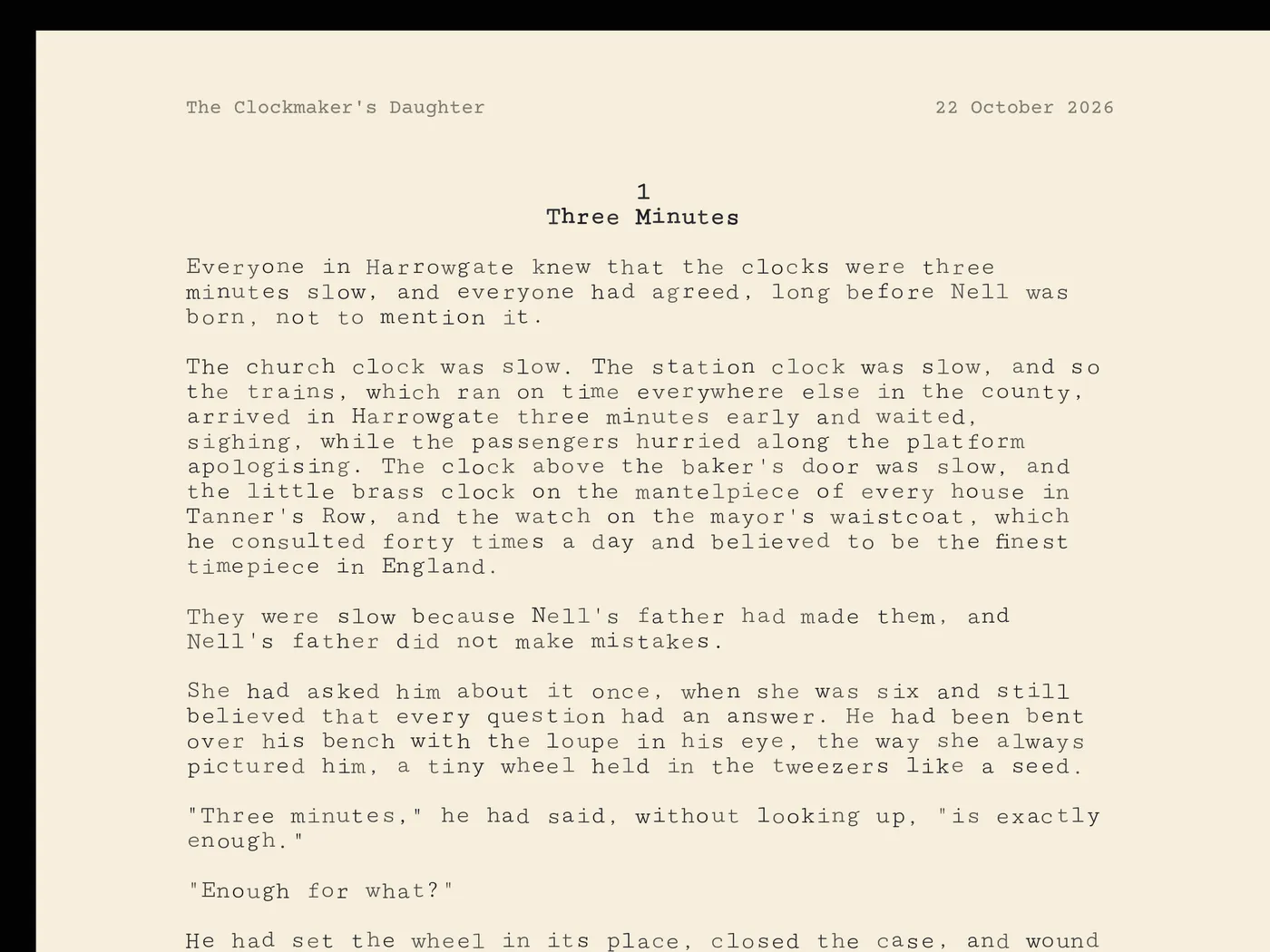
The Manuscript view shows the open folder's pages exactly as they are on the machine, one, two or as many side by side as fit. Select, cut, paste and correct like in any editor, with the same type, the same ink and the same paper.

  • The same margins and ruler as the machine
  • Typewriter sounds and backspace there too, if you want them
  • Pinch or ⌘+ ⌘− to zoom
A chapter page in the Manuscript view, on cream paper

§ 07For publishers

From the typewriter to an editor's inbox.

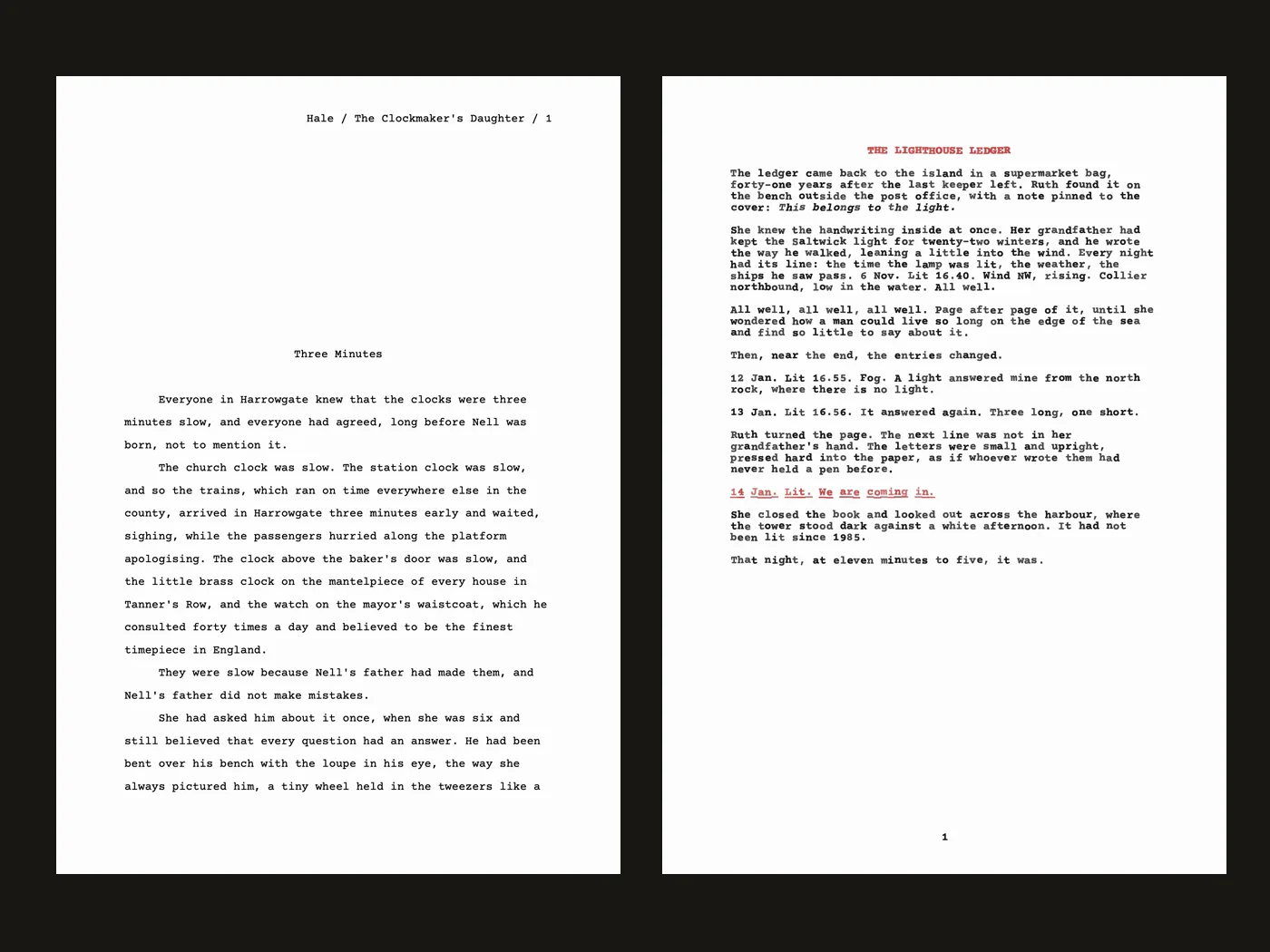
Export a standard manuscript as PDF or Word: Courier 12 point, double spaced, a title page with your name, contact and word count, every chapter on a new page and your surname, title and page number at the top. Or export the typed pages exactly as they look on the machine.

  • Plain text and Markdown, with bold, italic and underline
  • Lines you broke at the margin join into paragraphs
  • Your writing stays yours: no account, no upload
A standard manuscript page for publishers beside a typed page in red and black ink

§ 08Momentum

Draft mode: no going back. Only forward.

Turn on Draft Mode and Backspace types an x over the last letter, as on a real typewriter. Set a daily goal, time a writing session and watch the counters on the covers roll: words, characters, sentences, pages, your target and today.

  • A bell at the end of the session
  • A word target for the whole book
  • Night Light dims the page under a warm lamp after eight
The word, character, page and target counters on the machine's covers

§ 09Everywhere you write

Start on the Mac. Carry on on the iPad.

Your folders and pages live in iCloud Drive and stay the same on every Mac and iPad signed in to your iCloud. Open Dactylo anywhere and it puts the page you were typing back in the machine.

  • Face ID or Touch ID lock
  • One backup file for the whole library
  • In English, Türkçe, Español, Português, Deutsch, Français, 日本語, 繁體中文 and 한국어
Dactylo on a Mac and an iPad

Every feature, in detail →

The bell rings. You press Return. You don’t look at the word count, you don’t check anything. You just keep typing.

§ 10Typed in Dactylo

Sample pages.

Short pieces typed on the machine: a story opening, a letter, a poem, a screenplay page, a journal in draft mode. Read them as they came out of the carriage, or download the PDF exactly as Dactylo exports it.

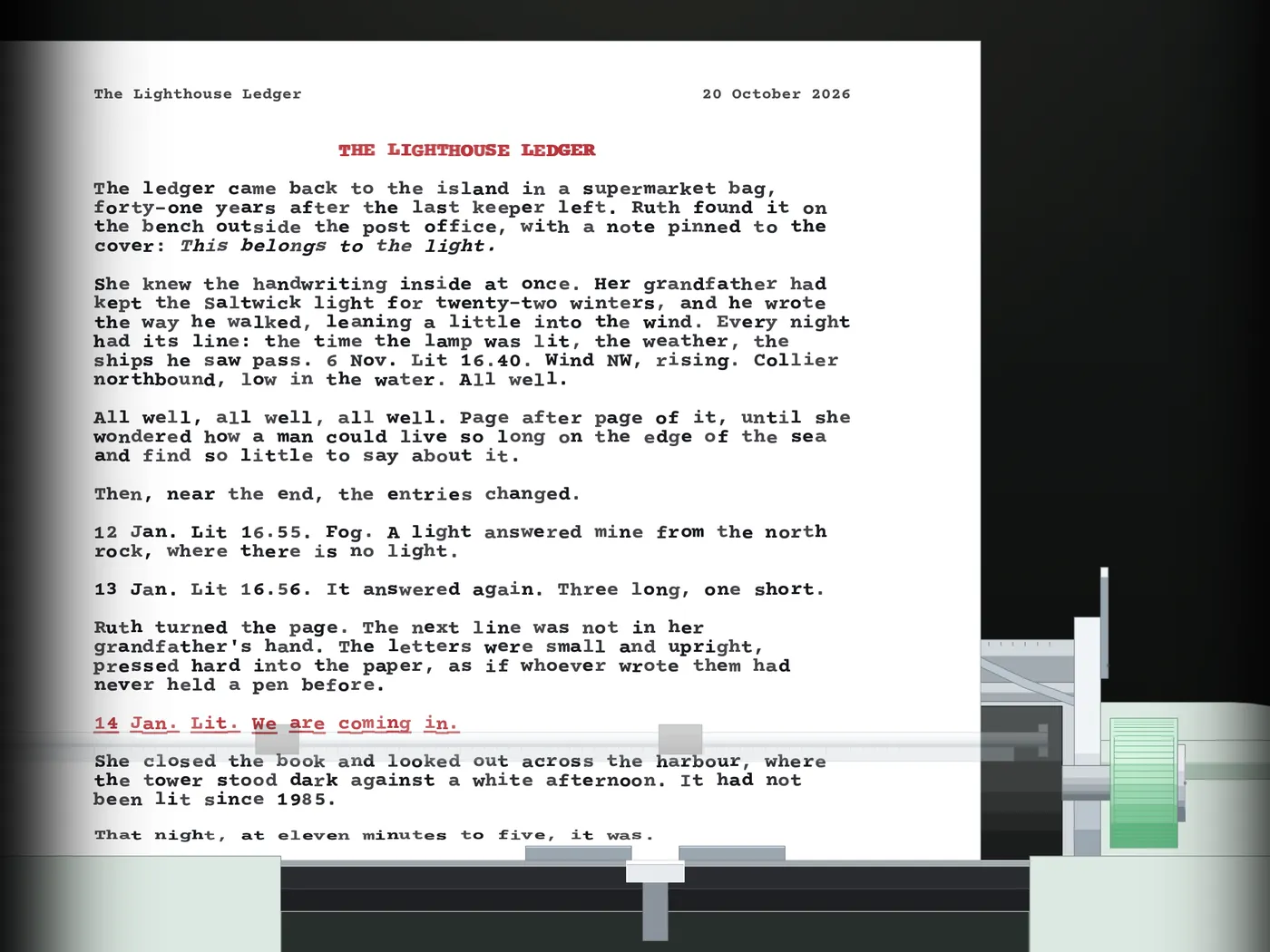
THE LIGHTHOUSE LEDGER The ledger came back to the island in a supermarket bag, forty-one years after the last keeper left. Ruth found it on the bench outside the post office, with a note pinned to the cover: This belongs to the light. She knew the handwriting inside at once. Her grandfather had kept the Saltwick light for twenty-two winters, and he wrote the way he walked, leaning a little into the wind. Every night had its line: the time the lamp was lit, the weather, the ships he saw pass. 6 Nov. Lit 16.40. Wind NW, rising. Collier northbound, low in the water. All well. All well, all well, all well. Page after page of it, until she wondered how a man could live so long on the edge of the sea and find so little to say about it. Then, near the end, the entries changed. 12 Jan. Lit 16.55. Fog. A light answered mine from the north rock, where there is no light. 13 Jan. Lit 16.56. It answered again. Three long, one short. Ruth turned the page. The next line was not in her grandfather's hand. The letters were small and upright, pressed hard into the paper, as if whoever wrote them had never held a pen before. 14 Jan. Lit. We are coming in. She closed the book and looked out across the harbour, where the tower stood dark against a white afternoon. It had not been lit since 1985. That night, at eleven minutes to five, it was.

The Lighthouse Ledger

Short story · opening

Flat 2, 18 Alder Street Tuesday evening Dear Tenant of Flat 3, We have not met, though I feel I know your left hand very well. I am writing about the piano. I want to be fair. You play beautifully, and mostly at reasonable hours. But on Sunday you began the same eight bars at a quarter past six in the morning and stopped them, unfinished, eleven times before breakfast. I counted. I could not help it. By the seventh time I was holding my breath at the turn in the fourth bar, the one where you always hesitate, and by the ninth I was willing you across it. You never did get across it. I had meant this letter to ask whether you might begin a little later at weekends. I see now that it has become something else. I would like to know how the piece ends. I have been humming the first eight bars in the shower, on the bus and, once, at a funeral, which I do not recommend. If you would rather keep the ending to yourself, I understand. Some things are better unfinished. But if you would like an audience for the ninth bar, I make a very good pot of tea, and I am home most evenings after six. With warm regards and a slightly tired ear, Margaret Ellison Flat 2 P.S. Saturday afternoons are perfect.

Letter to the Tenant Upstairs

Letter

NIGHT TRAIN, 22 JUNE 23.10 Left on time, which surprised everyone in the corridor. The conductor has a moustache like a coat brush and calls every passenger "sir", including the six-year-old in the next compartment, who loves it. 23.48 The berth is exactly as long as I am, if I do not think about it. Somewhere under the floor a wheel knocks twice at every joint in the rail, and the whole carriage leans into the bends as if it were listening for something. 00.30 Couldn't sleep. Went to the dining car, which was closed, and stood at the window instead. Villages go by with a single light on, always one, as if each of them had appointed somebody to stay awake. 01.15 A woman in the corridor was reading a paperback with the cover torn off. I asked what it was. She said she didn't know; that was why she was enjoying it. 02.40 We stopped for twenty minutes at a station with no name on the platform. Nobody got on. Nobody got off. A cat walked the full length of the train, inspected us, and went home. 04.05 First grey light over flat country. Cows standing very still in the mist, all facing the same way, like a congregation. 05.30 Coffee. The conductor brought it himself and said, "Nearly there, sir," to me and to the six-year-old, who saluted. I think I will remember this night longer than the city at the end of it.

Notes from the Night Train

Travel journal

A KITCHEN AT SIX The kettle knows before I do that the day has started, clearing its throat on the stove like a small brass bishop. Outside, the street is still deciding what colour it is. The cat has decided: the colour of the warm chair. Upstairs, the house is breathing in three different rhythms, none of them in time, all of them mine. I butter the toast slowly, the way you hold a door for someone you can hear but cannot see yet.

A Kitchen at Six

Poem

All sample pages →

§ 11Pricing

Write your first page free.

$9.99 once, for Mac and iPad

Download free and write your first page. Unlock every page, every folder and every export once. One purchase for Mac and iPad. No subscription, no account.

Coming soon to the App Store
  • Every view, paper, ink and typeface
  • Unlimited folders and pages
  • Editing in the manuscript and every export: PDF, Word, Markdown, text
  • iCloud on every Mac and iPad you own
  • Goals, sessions, Draft Mode, Night Light
  • Family Sharing, and no subscription

§ 12Questions

Before you ask.

Is it a real typewriter?

As real as software gets. Every key lifts its own typebar, the carriage moves a letter at a time, the bell rings before the margin and the sounds are recordings of a 1960s machine. What you type is kept as text, so you can still read it back, correct it in the manuscript and export it.

What does the free version do?

Everything, for one page. Download Dactylo free, try every view, paper and ink, and write your first page. When you want the second page, unlock Dactylo once for $9.99.

Is it a subscription?

No. It is a one-time purchase of $9.99. The same purchase unlocks Dactylo on your Mac and your iPad.

Can I use my own keyboard?

Yes, that is the idea. The machine's keys follow your keyboard's layout and language. On the iPad, a hardware keyboard works best; you can also tap the machine's keys.

Can I correct mistakes?

Yes. Backspace erases like a computer, or moves the carriage back so you type over the letter, or (in Draft Mode) types an x over it. And in the Manuscript view you edit like in any text editor.

Where is my writing kept?

In your own iCloud Drive, in a folder called Dactylo, as plain text files you can open anywhere. Nothing is sent to us. If iCloud is off, your writing stays on the device.

Can I send it to a publisher?

Yes. Export a standard manuscript as PDF or Word, with a title page, word count, chapter breaks and running headers, the way agents and editors expect it.

Which devices?

MacOS 26 or later and iPadOS 26 or later. One purchase covers both.

Anything else? Visit the help center or write to support@dactyloapp.com.

Put a sheet in the machine.

Free to try on your Mac and iPad. $9.99 once when you want more than one page.

Coming soon to the App Store